Contents
- What is storyboard format for film
- How storyboard format actually works in a film pipeline
- What a storyboard page includes: panels, reading order, and spacing
- How to label each storyboard panel so a crew can shoot it
- Choose the right aspect ratio before you draw: 2.39, 1.85, 16:9, 9:16
- How clean should your boards be: scamps, tight boards, and portfolio readability
- Special cases: commercial shooting boards and VFX-heavy scenes
- Delivery that looks professional: exports, file naming, and version control
- Which storyboard format should you use for a studio-ready portfolio
- Frequently asked questions about storyboard format for film
Your drawings are done, the acting reads, and the staging works. Then your cursor hovers over send, and one question stops you cold: does this look professional?
It's the page itself that worries you: the boxes, the labels, the panel numbers, the notes beside every frame. You've never set foot in a studio, so you're guessing whether it reads as real work or a student project playing dress-up.
Your storyboard format for film is how you prove you think like production, not like an illustrator. A story supervisor, the person who reviews boards in a studio, can tell in five seconds whether you've done this before, and they judge the format before they look at a single drawing.
By the end of this guide, you'll know how to pick a format, build a clean page, and export something a director, editor, or recruiter can open and read fast.
What is storyboard format for film
Storyboard format for film is the standard way a storyboard is laid out and labeled so a sequence reads shot by shot, in order. It covers panel layout, reading order, shot and scene numbers, and the notes under each storyboard panel, and the same conventions carry over to any video storyboard format, from a feature film to a 30-second commercial or a vertical social clip.
Whoever reads your boards, whether a director, a director of photography (DP), an editor, or a VFX (visual effects) supervisor, needs to see what happens, in what order, and what the camera is doing. A beautiful panel with no scene number next to it is useless to them.
There's no universal template, but there are conventions that read as professional, the same way a résumé has no fixed format and you can still spot an unprofessional one instantly. The software doesn't decide it either, since you can get the format wrong in Word or in expensive storyboard software.
How storyboard format actually works in a film pipeline
A storyboard page is a working document that directors, editors, and camera crews read to do their jobs, so build it for them and the format choices get easier.
Step 1: Lock the deliverable before you draw. A feature film, a short, a commercial, a pitch deck, and an animatic (a rough video cut from your panels to test timing before anyone shoots) each want different things from a page. Lock your aspect ratio and frame box first, because changing them later means redrawing every panel.
Step 2: Turn the script into a shot list. Break the scene into numbered shots before you draw, and decide your coverage up front, meaning the set of shots that will cover the scene: a master shot that holds the whole scene, over-the-shoulder shots, close singles, and inserts. Skip this step and your boards turn into a random pile of angles with no plan behind them.
Step 3: Build the panels in one clear reading order. Panels usually run left to right and top to bottom like a page of text, or straight down one column on a three-panel page, and that order holds on every page.
Step 4: Add the notes that make it usable. The scene and shot number, interior or exterior, the action, and the camera size and move go under every panel, so the drawing becomes instructions a crew can follow.
Step 5: Rough pass, then clean pass. Your rough first pass exists to solve staging, so don't clean up a single panel until the whole sequence works. For a fuller walkthrough, see how to storyboard a video.
Step 6: Export for whoever reads it next. Send a PDF for fast reading and printing, and add an MP4 animatic when an editor needs to sign off on pacing.
What a storyboard page includes: panels, reading order, and spacing
Every professional page has three things: one box per shot, called a storyboard panel, with one drawing in it; a clear reading order, so nobody has to guess what comes next; and room under each panel for notes. That's the baseline, and everything else is a choice based on the job.
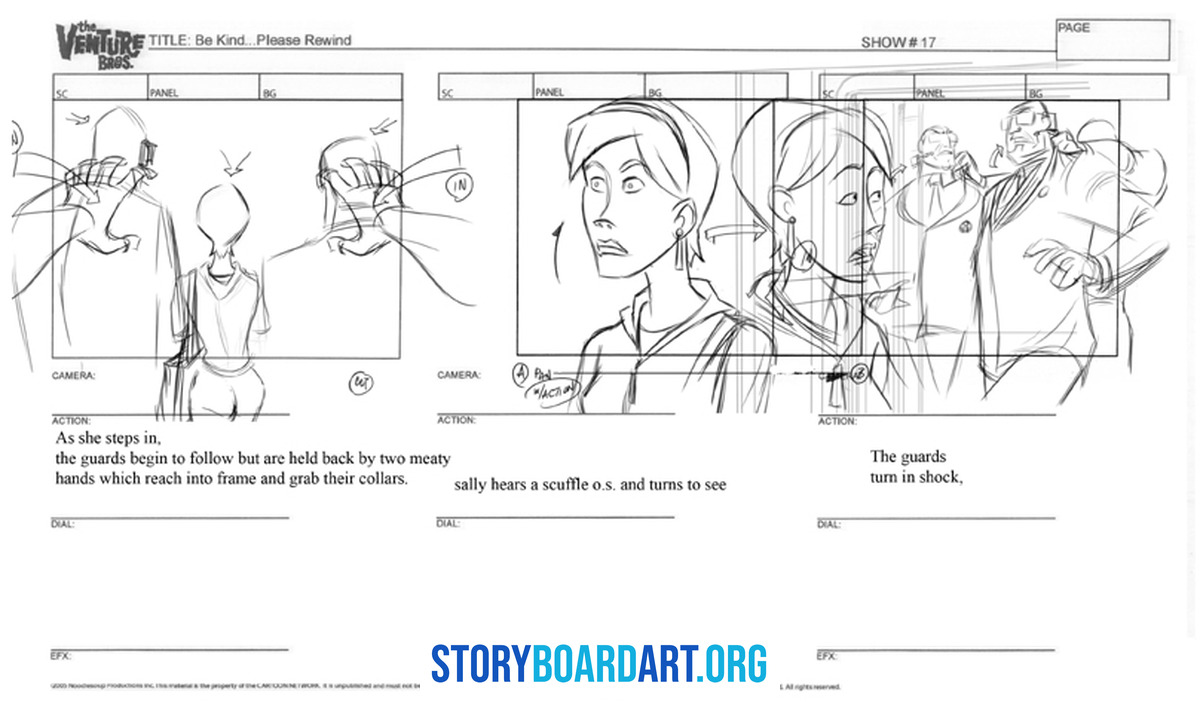
Panel count changes with the purpose. Shooting boards for the crew on set and boards carrying VFX notes usually fit two to four bigger panels per page, because the notes underneath do real work, while a thumbnail pass or a pitch deck can pack in many more small panels.
What makes a page look studio-made is consistency: every box stays the same size, the labels never move from panel to panel, and page numbers sit in the same spot every time, so a reviewer flipping fast never has to re-orient.
For a closer look at finished pages from working artists, see Storyboard Examples for Film: Pro Tips to Land the Job.
How to label each storyboard panel so a crew can shoot it
The notes under each panel tell the crew what to film, and without them your drawing is just a nice picture someone has to ask you about.
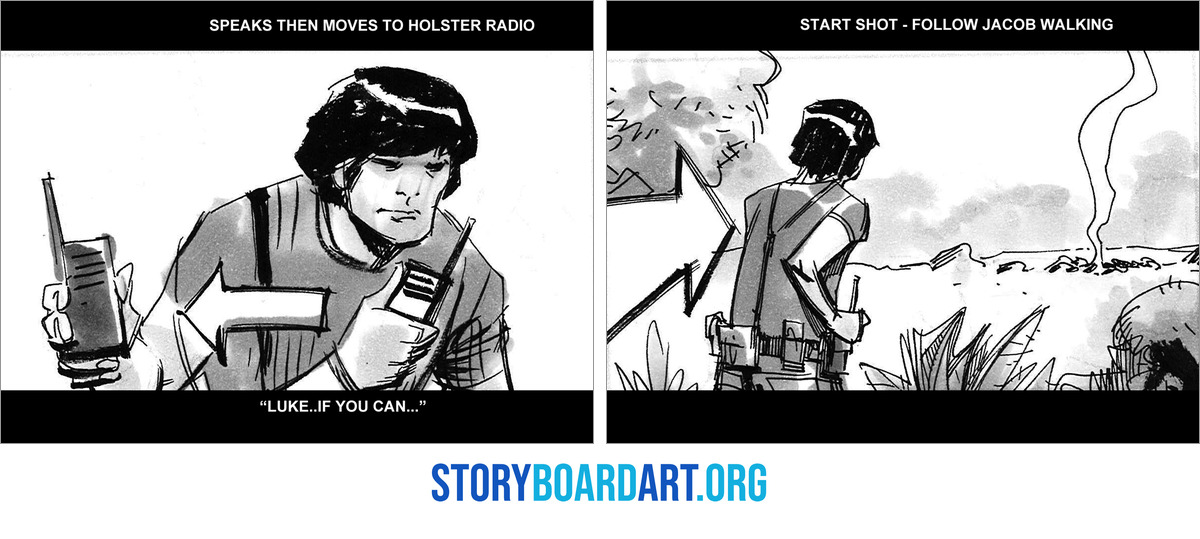
Number every shot, and number in tens. Pair the scene number with the shot, like 14A or 22C, when you have more than one scene, and count in tens (10, 20, 30) so a shot the director adds between 10 and 20 becomes 15 without renumbering the whole board.
Use the shared shorthand for shot size. Crews write shot sizes as letters to save time on set: CU (close-up), ECU (extreme close-up), MCU (medium close-up), MS (medium shot), LS (long shot, which just means wide), ELS (extreme long shot), OTS (over-the-shoulder), POV (point of view, the shot through a character's eyes), and ES (establishing shot, the first wide shot that shows where a scene happens). Different Camera Shots in Film: Fix Flat Storyboards breaks each one down with pictures.
Mark how the camera moves, as well as where it sits. PAN means the camera turns left or right, TILT means it turns up or down, and DOLLY or TRACK means the whole camera moves through space. TRUCK slides it sideways, CRANE raises or lowers it on an arm, ZOOM magnifies or widens the view through the lens while the camera stays put, and STATIC means it doesn't move at all. Write the word under the panel, and draw an arrow on it when the direction of the move matters.
Keep action short and in the present tense. One or two lines is plenty: write "She opens the door," not "She would open the door." Add dialogue only when it changes what happens in that exact panel, because copying the whole script under every panel turns your board into a comic book.
Add transitions and timing when the job needs them. CUT, DISSOLVE, and SMASH CUT tell the editor how one shot ends and the next begins, and on commercials and animatics you also write the length of each shot in seconds.
A board missing any of this forces the crew to find you and ask what you meant. A board with all of it runs the room without you in it.
Choose the right aspect ratio before you draw: 2.39, 1.85, 16:9, 9:16
Aspect ratio, the width-to-height shape of your frame, changes how you stage every shot, what fits in the picture, and whether the image still reads when it shrinks to a thumbnail.
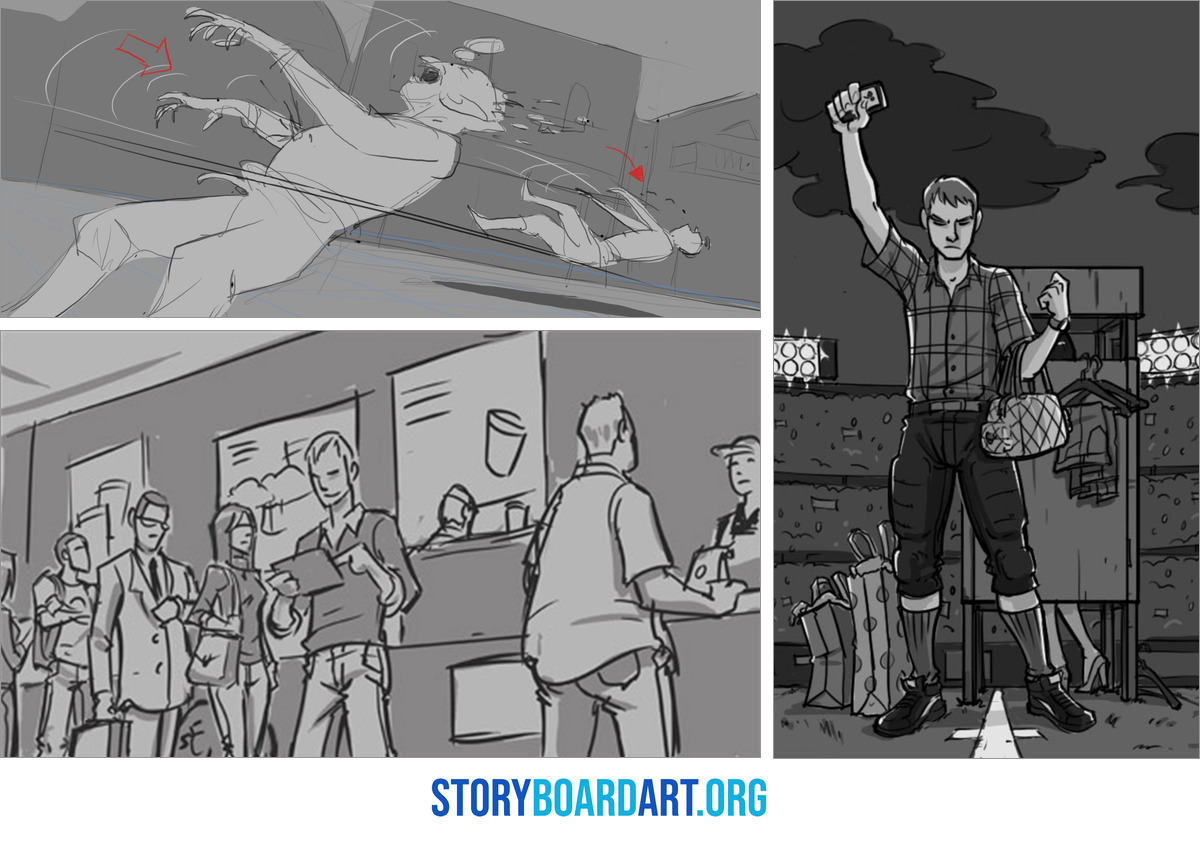
These are the ratios you'll run into most:
- 2.39:1: wide, the cinematic look used in big feature films.
- 1.85:1: flat theatrical, the other common feature format.
- 16:9: standard HD and streaming, and the safest default if you don't know yet.
- 9:16: vertical, built for phones and social feeds.
A wide 2.39 frame has room to spread characters apart and show scale, while a tall 9:16 frame trades that width for height. A two-shot (two characters sharing one frame) that works at 16:9 might need one character stacked behind the other at 9:16, or a split into two panels.
Build one panel box and copy it everywhere. Set up a guide at your chosen ratio and duplicate that exact box for every panel, because mismatched boxes make a sequence look amateur even when the drawings are strong. Keep headroom (the space above a character's head) consistent, and check that screen direction (which way a character faces or moves) still reads at postage-stamp size.
Keep the story away from the frame edges. Captions, subtitles, and an app's on-screen buttons can all cover the border of the frame, and every platform has its own safe-area rules, so keep faces, hands, and anything the audience must see clear of the edge.
How clean should your boards be: scamps, tight boards, and portfolio readability
Your drawings need to be readable long before they need to be finished, and mixing those two up wastes a lot of beginner hours.
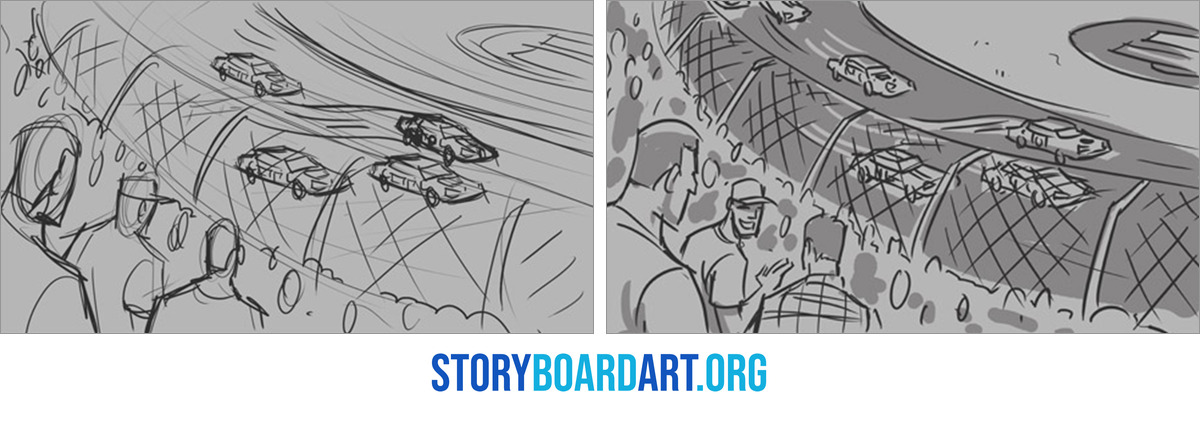
At one end of the spectrum sit scamps, rough and fast drawings that work out staging. In the middle sit tight boards, sometimes called clean boards, where the drawing stays simple but the anatomy holds up, the poses read, and the acting beat is obvious at a glance. At the far end sit presentation boards with extra polish for a pitch or a client, and even those have to read as camera decisions first and pretty pictures second.
A reviewer checks three things, in this order: whether they can follow the staging, whether screen direction holds across the cut so characters keep moving the same way, and whether your wide, medium, and close shots make a deliberate case for how to shoot the scene. Rendering doesn't make that list at all.
Formatting still matters no matter how rough the drawing is, so even a scamp needs a clean label, a shot number, and a layout that matches the rest of your page.
One fast check: shrink the panel to thumbnail size and ask whether the pose still reads as a solid black shape, its silhouette. If it's confused at that size, no amount of rendering will fix it, and if you can't read a panel without explaining it out loud, the format failed, not the reader.
For a full walkthrough of this process on a real short film, see How to Make a Storyboard for a Short Film: Step-by-Step Guide.
Special cases: commercial shooting boards and VFX-heavy scenes
Commercials and VFX sequences keep the same basics and add a few fields, because money and technical risk raise what the page has to carry.
Commercial boards are timed down to the second. A 15- or 30-second ad lives or dies on pacing, so write each shot's length in seconds under the panel and keep transitions clean. Mark the moments the client is paying for, like the product in hand, the logo, and the tagline, since a moment missing from the board usually goes missing on set too.
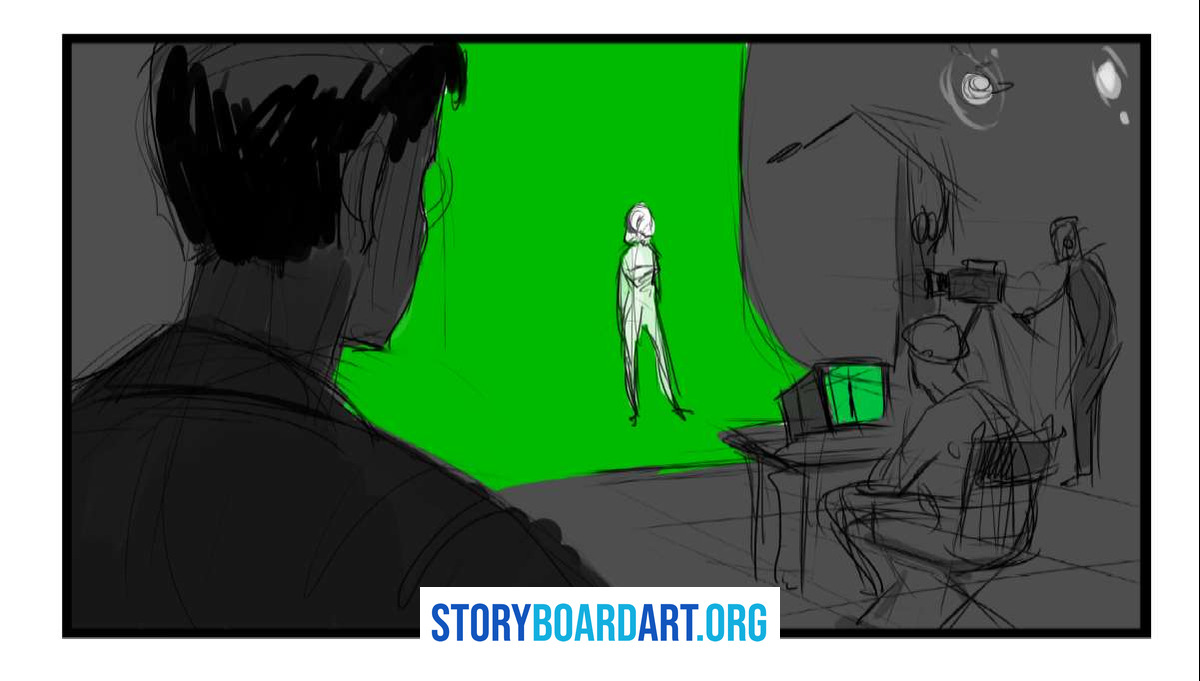
VFX-heavy boards need one extra field: a short VFX note. Keep it to one line per panel, marking whether the panel shows a live-action plate (footage the camera actually films) or a CG element built later by computer. Note whether green screen is in the shot, whether tracking markers are needed so the computer can follow the camera's motion, and where an actor has to interact with something that isn't there yet.
When a sequence has heavy VFX work, put the detail on a separate VFX breakdown sheet, because a crowded panel note helps nobody. Your board shows intent, while the VFX bid, with its costs and technical specs, belongs to someone else.
Delivery that looks professional: exports, file naming, and version control
Finished boards still have to reach someone, and this is where good work starts looking amateur for no reason.

Most film work needs two files: a PDF, which opens the same on any computer and prints fast, and an MP4 animatic whenever timing matters. If an editor needs single images to drop into a timeline, add a folder of numbered frames, and that covers almost every request you'll get.
Name your files so a stranger can sort them without opening one, using something like Project_Seq10_Scene20_v003.pdf with the version number built in.
The details that make a file look professional take no drawing skill at all:
- Page numbers on every sheet, always in the same spot.
- The sequence name printed somewhere consistent.
- Shot numbers that never skip or repeat by accident.
- One spot for notes and legends, so a reader never has to hunt for them.
Editorial teams want shot numbers that stay fixed from your board straight through to the cut, so each board can sit next to its matching clip without guesswork. If you're building boards in a simple tool first, How to make a storyboard on a Word document that actually holds up covers keeping that file clean enough to hand off.
Which storyboard format should you use for a studio-ready portfolio
Hiring tests whether you can think clearly about a scene and show it on a page, and the format rules in this guide matter because they prove you can.
Here's how to apply them, based on what you're building toward.
- Aiming for a feature or TV job? Use a production layout with room for notes under every panel, and keep your shot labels and numbers consistent all the way through, which reads as someone who has worked near a real production.
- Building a portfolio for commercial work? Add each shot's timing under its panel, and clearly mark the moments a client pays for, like a product or a logo.
- Putting together a pitch as an indie filmmaker? A little more finish in your drawings is fine here, as long as your notes and numbers stay easy to read.
My own start in the industry went like this. There was not one particular portfolio piece that got me hired. It was general skill level, and storyboard examples that showed I had the potential to do the work. Looking back at those early portfolios there was a lot to fix and a lot lacking in the skills I needed to work as a strong professional. But I did have basic strong drawing skills I could apply to the job at hand, and whatever deficiencies I had with storytelling I could fill in with drawing. The presentation was in the proper format and showed enough potential that the people reviewing it were willing to give me a chance. I also showed a positive attitude and a willingness to do what was needed in the interview, and I was hired as a contractor on some of those early jobs so I could prove myself.
Format and consistency get you in the room. Want help building the rest of your portfolio around it? Get the Killer Storyboard Portfolio guide.
Frequently asked questions about storyboard format for film
How many storyboard panels per page is standard for film?
Two to four is standard for production-style boards, the kind a crew shoots from, because that leaves room under each panel for shot numbers, camera notes, and action lines. Thumbnails and pitch decks can pack in many more, since nobody reads camera notes off those pages.
Do studios require one specific storyboard template?
No, there's no single template every studio uses. What studios expect is consistency: the same box size down the page, labels in the same place on every panel, and shot numbers that never skip or repeat.
Do I have to label CU, MS, OTS and camera moves on every panel?
Only when that information changes from one panel to the next, so skip the label when the shot size or camera move matches the panel before it. A label that answers no question is just clutter.
What is the minimum I should export for a professional delivery?
Always a PDF, because it opens the same way on any computer and prints fast. Add an MP4 animatic whenever someone needs to review pacing as well as read the sequence.
If you're still working through the fundamentals, Introduction to Storyboarding: The Beginner's Complete Guide starts from the basics.
