Contents
- What is continuity editing
- How continuity editing works: what the audience must never lose
- Spatial continuity: keeping geography readable across cuts
- Temporal continuity: hiding the cut with motion, time skips, and shot spacing
- What continuity serves: attention, emotion, and rhythm
- Coverage planning for storyboard artists: give editorial options
- When continuity breaks: how editors hide problems and how boards prevent them
- How to show continuity skill in a portfolio sequence
- Frequently asked questions
You board a sequence, and in your head it plays perfectly. Then someone flips through it and gets lost halfway. Where did the character go? Why does the room suddenly feel flipped?
So you go back and fix the drawings. You push the poses, clean up the lines and add detail to the backgrounds. The next person flips through it and gets lost in the exact same spot.
The drawings were never the problem. What broke is the space between them: the cuts. Keeping those cuts readable is its own skill, and it has a name, continuity editing. It's the glue that makes one shot flow into the next, so the audience always knows where they are and what's happening.
Studios don't just hire artists who can draw cool panels. They want story artists who craft sequences that read. By the end of this, you'll understand what continuity editing is, which rules matter most, how editors hide cuts, and what to put on the page so your scene actually works.
Let's start with the basics.
What is continuity editing
Continuity editing is the art of hiding cuts so a scene plays like one continuous moment in time and space. The editor matches shots so the audience never has to pause and figure out what's going on.
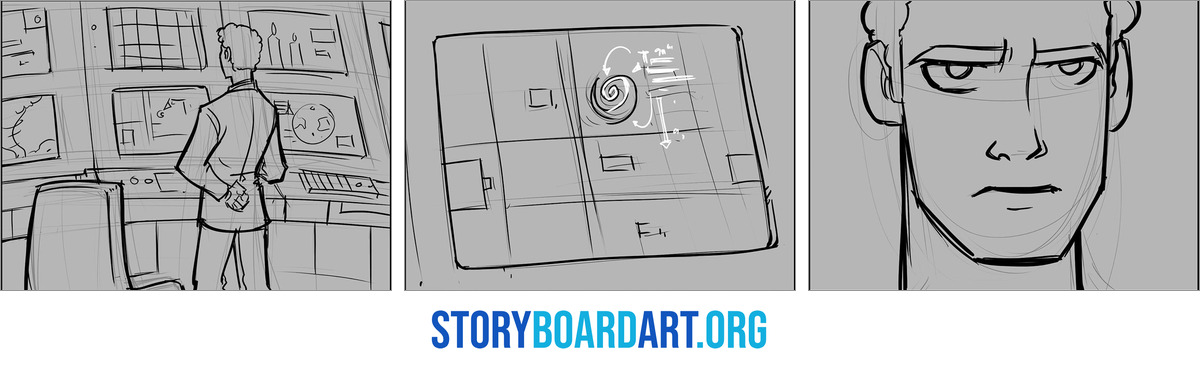
This matching covers specific things. Screen direction keeps characters moving the same way across cuts: left to left, right to right. Eyelines ensure that when a character looks off-camera, the next shot shows what they're looking at. Action and sound are matched too, so a door closing in one shot finishes closing in the next.
Continuity editing keeps viewers oriented. They should always know where they are, who's standing where, and what just changed, without you spelling it out.
It's a system of agreements, not a single rule you follow or break. Your storyboards decide whether the editor even has the right shots to make these agreements work. If you only draw one angle of a conversation, there's no continuity to begin with. For the full list of these agreements, check out Film Continuity for Storyboard Artists.
How continuity editing works: what the audience must never lose
Continuity editing is a checklist of jobs every cut has to do, in order. Here's how it breaks down.
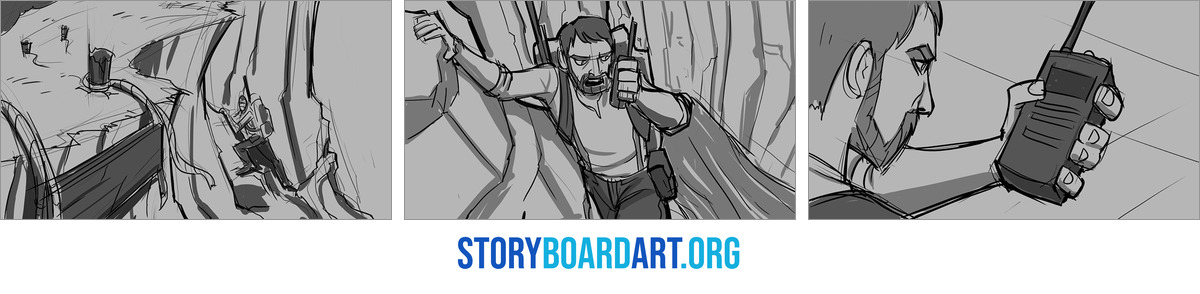
First, establish space. Before any cuts happen, the audience needs a wide shot that answers one question: who's where? Who's on the left, who's on the right, what's close, what's far. This wide shot is called a master shot because it covers the whole scene in one go. Skip it, and every close-up that follows feels disconnected.
Second, hold the axis. Once the space is set, movement and eyelines must stay logical across every cut. This is the 180-degree rule. Picture an imaginary line through the scene. The camera must stay on one side of that line so left stays left and right stays right. Break it accidentally, and a character walking left to right suddenly looks like she's walking right to left, which confuses the audience.
Third, cut on change, not stillness. A cut should happen because something moved, a character reacted, or new information appeared. A cut on nothing feels empty. A cut on a reaction feels meaningful.
Fourth, use bridges. A cut flows better when something continuous carries it across. It could be a hand finishing a motion, a door swinging, or dialogue running under the picture change. Sound and action both work as bridges. That's why a match cut, which lines up shape or motion across two shots, feels invisible instead of jarring.
Fifth, re-establish when needed. If a scene runs long or characters move around, cut back to a wide shot. It reminds the audience of the layout before confusion sets in.
On the storyboard, this translates to three plans: geography, eyelines, and cut points. That's why boards are built from a kit of shot types, not just one. You need masters to establish space. You need overs and singles to carry conversation. You need inserts for details. You need reaction shots to justify cuts.
Miss any piece, and the editor downstream can't build the sequence you imagined. For a deeper dive into building that kit shot by shot, see A Storyboard Artist's Guide to Film Editing.
Spatial continuity: keeping geography readable across cuts
A dialogue scene where characters seem to teleport? It's almost always because nobody set the layout before cutting between faces.
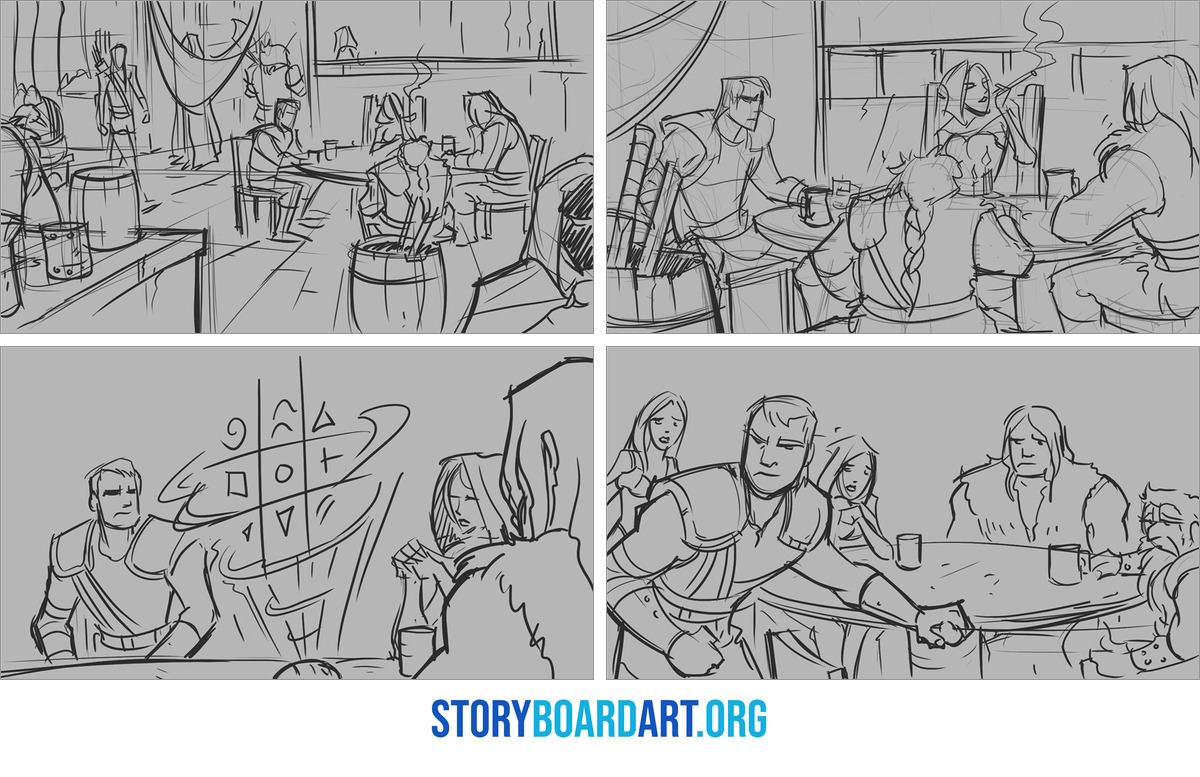
Set the layout first, then guard it. Draw a wide shot showing who stands where. That drawing now governs every panel after it. Decide positions early, and the rest of the scene boards itself, with no more guessing where the camera goes next.
The 180-degree rule protects that layout. Picture a line drawn between two people talking. Your camera must stay on one side of that line for the whole scene. Stay on one side, and left stays left, right stays right, cut after cut. Cross the line, and the characters appear to swap places, making the scene feel like teleporting. Most of the time I don't break the 180 unless I really need to. I use it as a story mechanism. I'll break screen direction on purpose in intense action scenes, or to create something jarring for the audience, like a reversal or a change in story direction. For the full rule, see 180 Degree Rule in Film: Storyboard Guide to Screen Direction.
Eyelines make the cutting believable. An eyeline is the direction a character looks. If someone looks screen left in one panel, the person they're talking to must be positioned screen left in the next. Get this wrong, and shot-reverse-shot falls apart. Shot-reverse-shot is the back-and-forth cutting between two speakers that most dialogue scenes rely on. When eyelines don't match, it feels like two people in separate rooms, not a conversation. See Shot Reverse Shot: How to Storyboard Dialogue Scenes.
Temporal continuity: hiding the cut with motion, time skips, and shot spacing
Good drawings can still cut poorly. Continuity has two sides: keeping space straight and keeping time unbroken, even when you skip across it.
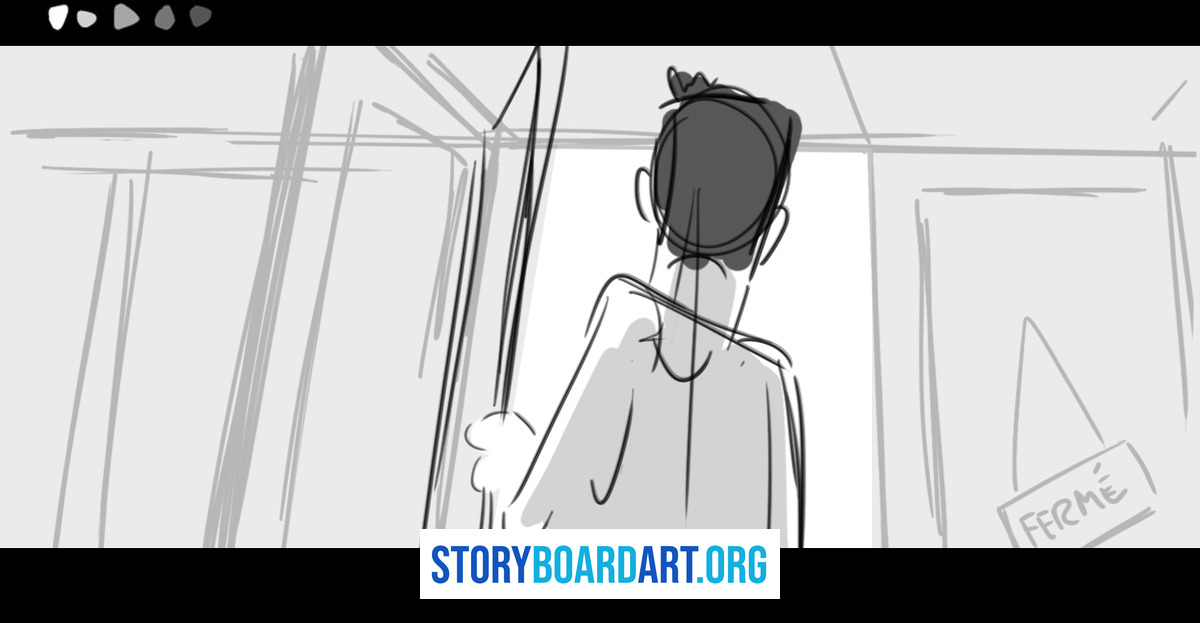
The main trick is match on action. Cut in the middle of a movement, never before it starts or after it ends. The next shot picks up at the same point in the motion. Picture a door grab in a wide shot. Cut mid-grab, then land on a close-up of the hand finishing it. The audience's brain fills the gap and doesn't notice the cut. For more on this, see Match Cut in Film: How to Storyboard Transitions That Hold Together.
A simple rule protects this trick: move the camera at least 30 degrees between two shots of the same subject. Cut between angles too close together, and the shots stutter instead of changing. That stutter is called a jump cut: a cut that looks like a mistake.
You don't have to show every second of every action. Skipping time on purpose is called an ellipsis, and it's normal. But you must signal the skip clearly, with a clock on the wall, a new setting, or an action that finishes before the cut, so the audience reads it as a choice, not an accident.
What continuity serves: attention, emotion, and rhythm
If continuity matters so much, why do professional films have small errors? Because continuity supports emotion, story clarity, and rhythm. It's not the top priority.
Walter Murch, a legendary editor, has said he'll break spatial rules without hesitation if keeping them ruins the feeling a scene needs. A coffee cup in the wrong spot rarely wrecks a scene. A flat emotional beat always does.
Part of why small errors slip past audiences is that continuity guides the eye, not passes inspection. Good staging tells viewers exactly where to look. If their eyes are locked on an actor's face, they're not scanning the background for mistakes. That's the craft behind continuity editing: control attention, and the audience stops noticing anything else.
I learned this directing on Star Wars Rebels and Star Wars Resistance. Our episodes had to come in around 21 minutes and could not go over, but most of the time the raw assemble edits ran 25 to 30 minutes, so a lot had to go. The supervising directors helped guide those cuts, but in the end I had to make decisions that affected scenes I had worked on myself. It was about never being precious, never falling in love with any one scene or with anyone's output, including my own. I had to look at the episode as a whole and make sure it was an exciting and engaging experience for the audience.
That's the hierarchy. Geography serves the story. It never outranks it.
Coverage planning for storyboard artists: give editorial options
What should you draw so the scene cuts together? Draw more than the one angle you pictured. The real safety net is giving the editor enough choices to fix problems later, not perfect panels.
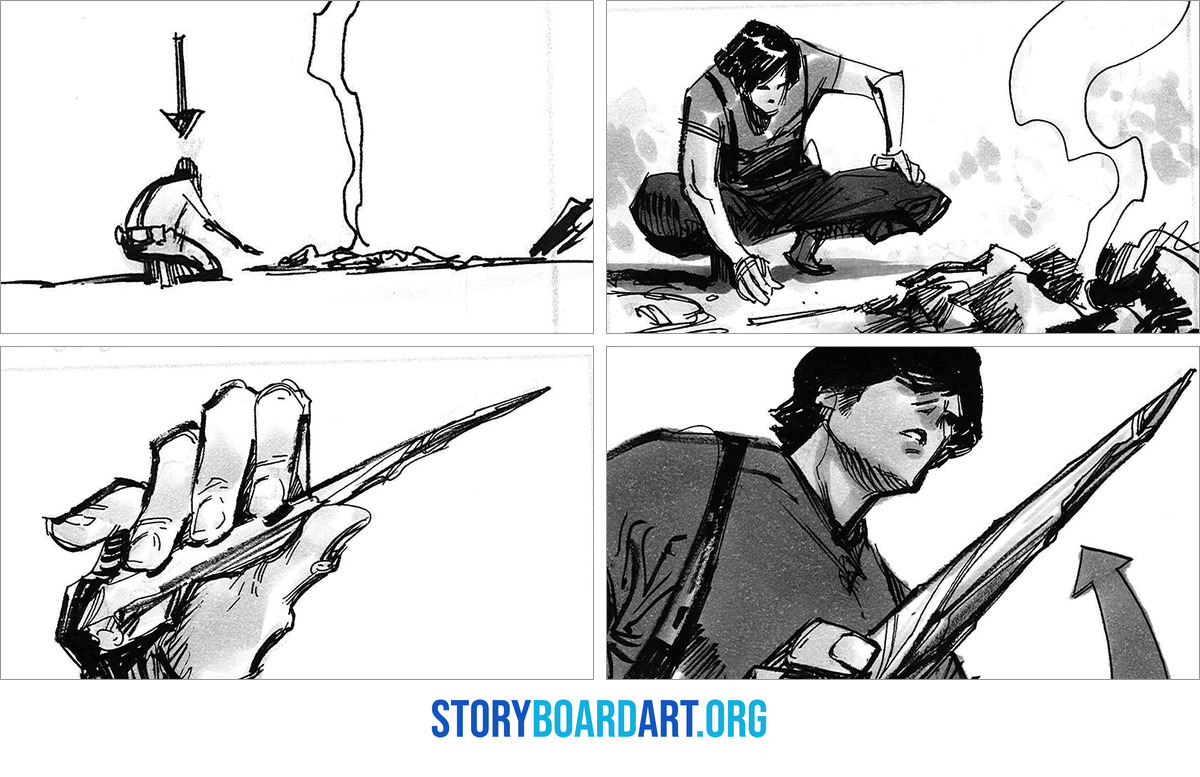
Here's the basic kit to draw for every scene:
- A master shot. A wide shot showing the whole space. Draw this first so geography is set before anything else gets cut in.
- Medium shots. These carry staging: where people stand, where they move, how they relate in the room.
- Close shots at turning points. Put a close shot on the line, glance, or decision that changes the scene.
- Inserts. Tight shots on a hand, prop, door handle, or phone screen. These act as continuity band-aids. When two shots don't quite match, the editor cuts to an insert, and the mismatch disappears.
- Reaction shots. These act as glue. They let the editor cut away from a mismatch and back without the audience noticing.
Continuity isn't one person's job. On set, the script supervisor tracks every detail of a shot so it matches the next. The lined script maps every shot against the dialogue. In the cutting room, the editor organizes it all into a finished scene. Your boards are the first link in that chain, and giving editorial this full kit makes the rest of the chain work.
For the full list of continuity rules those later jobs rely on, see Film Continuity for Storyboard Artists.
When continuity breaks: how editors hide problems and how boards prevent them
Footage doesn't always come out clean. An actor's hand lands in a different spot between two cuts. An eyeline points the wrong way. A continuity error is any small mismatch between shots that are supposed to connect smoothly. Editors have a short list of fixes for this, and knowing the list changes how you draw boards.
- Cut on motion. Hide the mismatch inside a move, not on a still frame. The eye follows motion and skips over small errors.
- Cut away. Insert a close-up of a hand, object, or reaction to reset the audience's attention before returning to the main action.
- Re-establish geography. Cut back to a wide shot reminding the audience where everyone stands.
- Bridge with sound. Diegetic sound, meaning sound from within the scene like a radio or car engine, can carry the audience past a visual gap.
- Pick the better take. If the mismatch doesn't change the story, the editor uses whichever version feels best emotionally.
Each fix is a lesson for your boards. If an insert shot saves a bad cut, draw it into your sequence before anyone needs it. If continuous sound bridges a cut, write it on the page: a radio playing, an engine running, or dialogue that carries past the panel change.
Some editing software can now patch small mismatches automatically. Don't design around that. Good coverage and clear staging still save more scenes than any tool.
How to show continuity skill in a portfolio sequence
Studios look for clear signs when flipping through your pages.
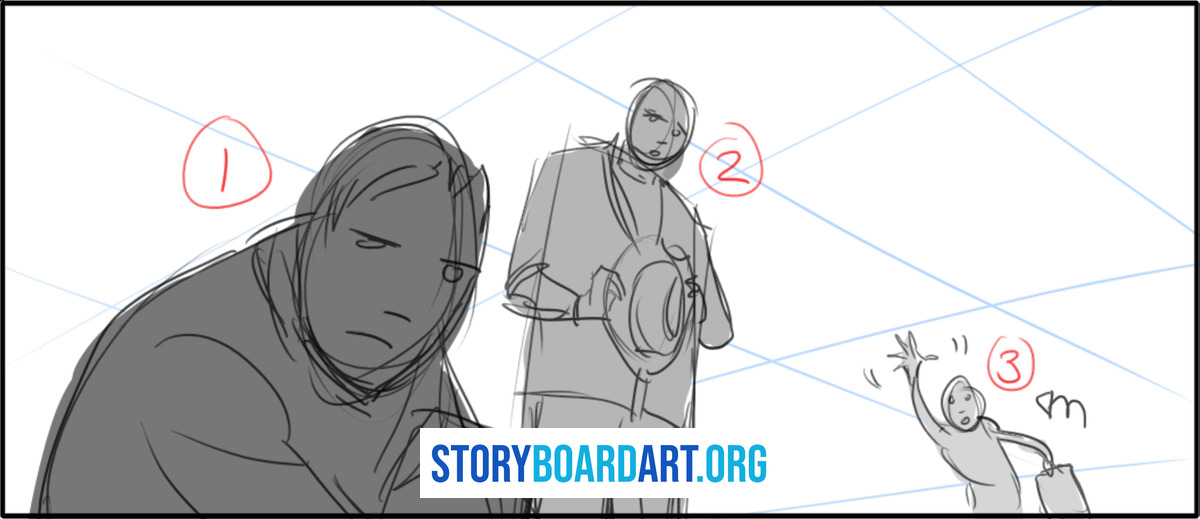
Your geography reads in the first five panels. A viewer can tell who stands where before anything happens. Your dialogue scenes hold the line. Eyelines stay matched from cut to cut, so nobody guesses who's looking at whom. An eyeline is the direction a character looks, and it must point at the same spot in every panel of that exchange. Your action beats have clear cut points. Motion carries through each cut, so an editor could freeze any frame and know where to cut.
Now cut the opposite signals out of your pages:
- Axis flips with no story reason. An axis flip is when the camera jumps to the other side of the action without a motivated beat, making the audience lose track of who's where.
- A string of medium shots cut to medium shots with nothing new to show.
- Missing inserts or reaction shots, leaving dead air and nowhere for an editor to cut.
Here's your one move this week. Pick a sequence you've already made. Mark the axis line: the imaginary line between your characters that keeps left and right consistent. Then add three inserts and three reaction shots, the shots an editor would need to save a bad cut. That one pass tells you fast whether the scene actually works or just looks good panel by panel.
For the full breakdown of what belongs in a hireable sequence, read Killer Storyboard Portfolio.
Frequently asked questions
Do storyboard artists need to understand continuity editing, or is that the editor's job?
- You need to understand it. Boards decide which angles exist, and an editor can only cut footage that was drawn and shot. Boards control coverage (the set of shots available to cut between) and screen direction (the left-right logic that keeps the audience oriented).
- An editor can't invent a room layout or eyeline you never drew. If geography was never established on the page, no amount of cutting skill fixes it.
- Sequences that read smoothly almost always come from an artist who understood the cut before drawing panel one.
Should I always follow the 180-degree rule in storyboards?
- Default to yes, especially in dialogue scenes. The 180-degree rule keeps left and right consistent across cuts, and breaking it accidentally reads as a mistake, not a choice.
- Break it on purpose only when the story beat itself is a reversal or when you want to jar the audience deliberately.
- If you break it, re-establish the space fast with a wide shot so the audience recovers before confusion sets in. See the section above on holding the axis for the full mechanics.
What's the fastest way to avoid jump cuts in a storyboarded scene?
- Cut on action: in the middle of a movement, not before or after it. The brain fills the gap and skips the cut.
- Change shot size by a meaningful amount, not a small adjustment. Two shots too close in angle or size stutter instead of changing.
- Add an insert or cutaway (a close shot on a hand or object) that buys you a clean jump in time without the audience noticing.
What continuity details do studios actually care about in boarding reviews?
- Whether they can follow the scene without you explaining it. That's the first and fastest test any reviewer runs.
- Screen direction and geography staying consistent panel to panel, so nobody guesses who's standing where.
- A clear emotional read and steady pacing, since continuity exists to serve those two things, not the other way around.
What should I label or annotate on storyboard panels to help continuity?
- Screen direction arrows showing which way characters and action move across the frame.
- Eyeline vectors marking exactly where each character is looking so the next panel can match it.
- Notes for continuous sound or a sound bridge, like a radio or dialogue that carries across the cut.
- Notes for intended re-establishing shots so whoever cuts the scene knows when you planned to remind the audience of the layout.
