Contents
- What storyboard arrows are and what they need to show
- Camera arrows: pans, tilts, trucks and crane moves
- Push-in, pull-out or zoom: same arrows, different label
- Character and object arrows: paths, depth and screen direction
- Arrow hierarchy: one move in charge of each panel
- Annotations that work with arrows: IN, OUT, HU and CUT
- Frequently asked questions about storyboard arrows
You draw one quick arrow across a storyboard panel, and to you the shot is obvious: the camera moves to the right until it finds a woman standing in a doorway. Then someone else reads the panel and asks what the arrow means: does she walk into the picture, or does the camera move over to find her?
Your arrows get read by everyone who works from the storyboard, like the director, the camera crew and the animators, and most of them never hear you explain the shot. Storyboard arrows are how a still drawing shows movement, and a few simple rules make yours easy for anyone to read.
What storyboard arrows are and what they need to show
A storyboard panel is a single still drawing, so it can only capture one moment of a shot. A storyboard arrow adds the movement the drawing can't show, like the camera turning to follow someone or a character walking across a room. Arrows are notes for the people who make the shot, so they never appear in the finished film.
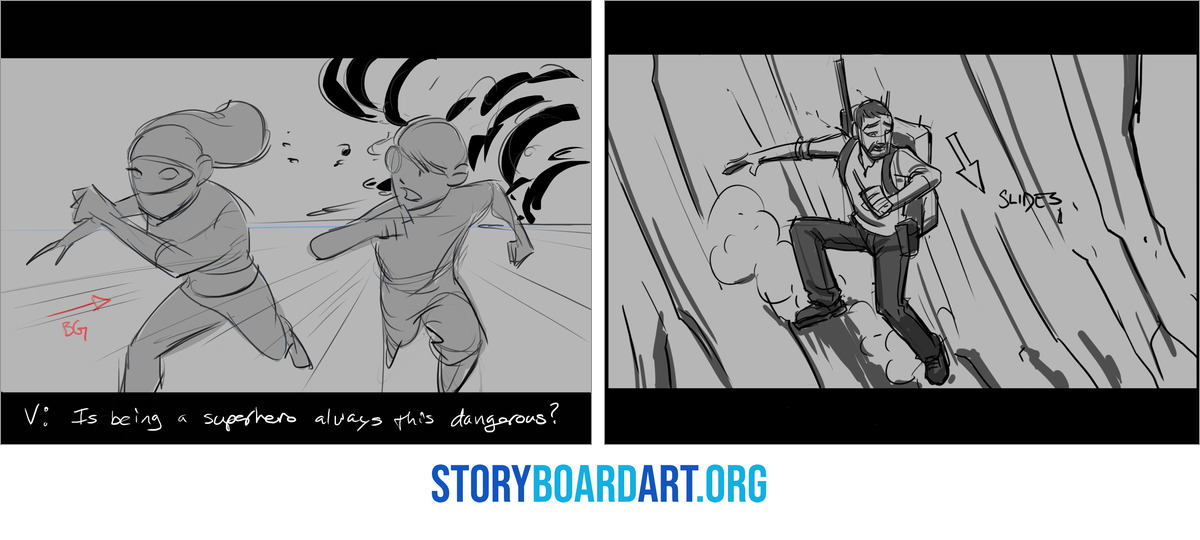
Every arrow has to answer four questions: what moves, which way it goes, how far it goes and when it happens, like the moment a character starts talking.
The trouble starts when one arrow can be read in more than one way. A straight arrow pointing at a character's face could mean the camera moves closer, the lens zooms in or the character leans toward us, and each of those is a different job for the people who film or animate the shot.
That is why storyboard artists write a short label next to each arrow. A camera arrow gets the name of the move, like PAN L when the camera turns left or PUSH IN when it moves closer. A character arrow gets CHAR or the character's name, and an object arrow gets OBJ or the name of the thing, like BALL.
Where you draw the arrow also tells the reader what it belongs to. Camera arrows go outside the picture or along its edge, because the whole picture moves when the camera moves, and character and object arrows go on or right next to the thing that moves.
Add an arrow only when the drawing can't show the movement on its own, since a fist drawn landing on a jaw already reads as a punch. If you're new to how storyboards are used in a production, Introduction to Storyboarding: The Beginner's Complete Guide starts from the basics.
Camera arrows: pans, tilts, trucks and crane moves
Most storyboard camera movement comes down to a handful of moves, and each one has a standard way to draw it.
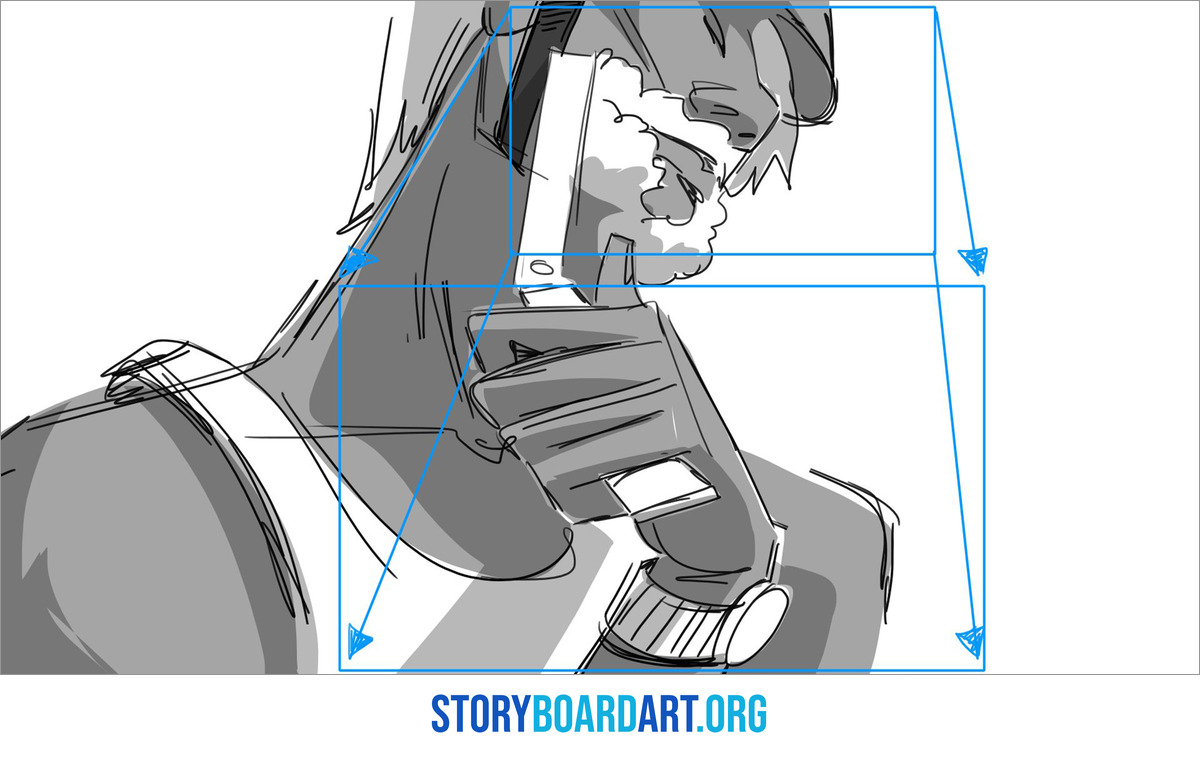
A pan turns the camera left or right on its base, so the picture slides across the scene. Draw it as an extra-wide panel: sketch the background wider than one frame, mark where the shot starts and ends with two rectangles and run an arrow between them labeled PAN R or PAN L. Two panels joined by a labeled arrow work too.
A tilt pivots the camera up or down, so the same idea becomes a tall panel with an arrow labeled TILT UP or TILT DOWN.
A truck slides the whole camera sideways, so the foreground passes faster than the background. Draw the arrow along the bottom edge or just below the panel and label it TRUCK L or TRACK L, since crews often call it a track. For how tracking, dollies and trucking relate, see What Is a Tracking Shot? (And How It Differs From a Dolly).
A pedestal raises or lowers the camera without tilting it, so a vertical arrow beside the frame labeled PED UP does the job. A crane move lifts the camera on a long arm and often adds a tilt, so write both parts: CRANE UP, TILT DOWN.
When the camera makes two moves in one shot, draw one continuous arrow in the order they happen. A tilt down that turns into a pan right becomes an L-shaped arrow with a note such as TILT DOWN, THEN PAN R under the panel.
On animation boards, TRUCK IN often means moving closer, so check which words your studio uses.
Push-in, pull-out or zoom: same arrows, different label
Moving closer is often drawn as a frame inside the frame: a smaller rectangle shows where the shot ends, with arrows running from the corners of the panel to the corners of that rectangle. For a pull-out or a zoom out, the arrows point the other way, from the small rectangle out to the corners of the panel.
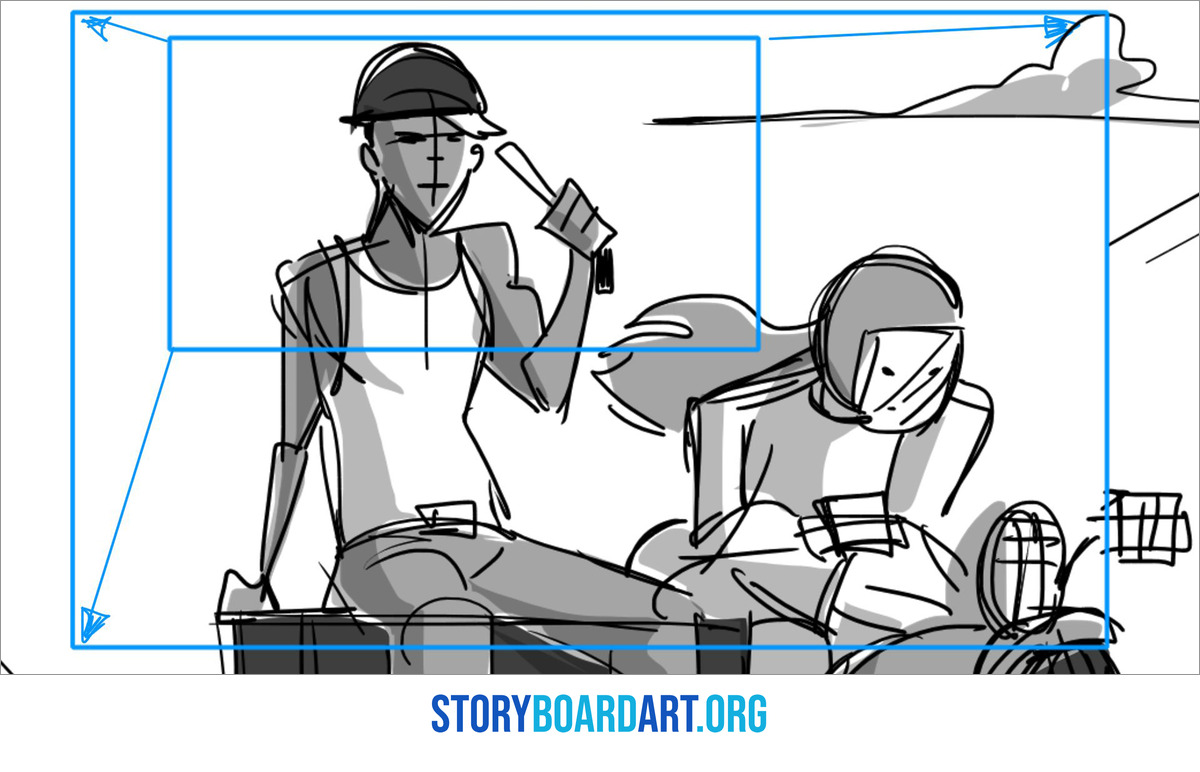
That one drawing can mean two different things, so the label has to say which. PUSH IN or DOLLY IN means the camera itself moves toward the subject, often on a wheeled cart called a dolly, and ZOOM IN means the lens makes the picture bigger while the camera stays in place.
On screen the difference is parallax: when the camera moves, things close to it grow and shift faster than things far away. A zoom magnifies the picture from one fixed spot, so nothing shifts against anything else.
The dolly zoom, which Hitchcock made famous in Vertigo, needs both labels at once. The camera moves one way as the lens zooms the other, so the subject stays the same size while the background stretches or squeezes. Write both moves, for example DOLLY IN + ZOOM OUT.
Push-ins and pull-outs also carry a lot of feeling, because they change how close the audience sits to a character.
One of the things I got wrong on a sequence was not understanding the point of view the scene required. The point of view of the characters needed the cameras to be close, an intimate moment, and I was staging everything with wide and medium shots. It felt disconnected to the audience. My director pointed it out, and it was very important for me to adjust and fix it so the scene actually carried the right emotional charge.
A push-in or pull-out moves the camera closer or farther away while the shot is running, so each of those arrows is a story decision. Write down when the move starts and where it ends, such as "PUSH IN, slow, starts on her line, ends on a close-up". Camera movement and lens choice get their own section in Different Camera Shots in Film: Fix Flat Storyboards.
Character and object arrows: paths, depth and screen direction
A character arrow follows the path of action, the line a movement travels along, and sits on or beside the body part that moves: at the feet for a walk, along the arc for a swinging arm and around the head as a curved arrow for a turn.
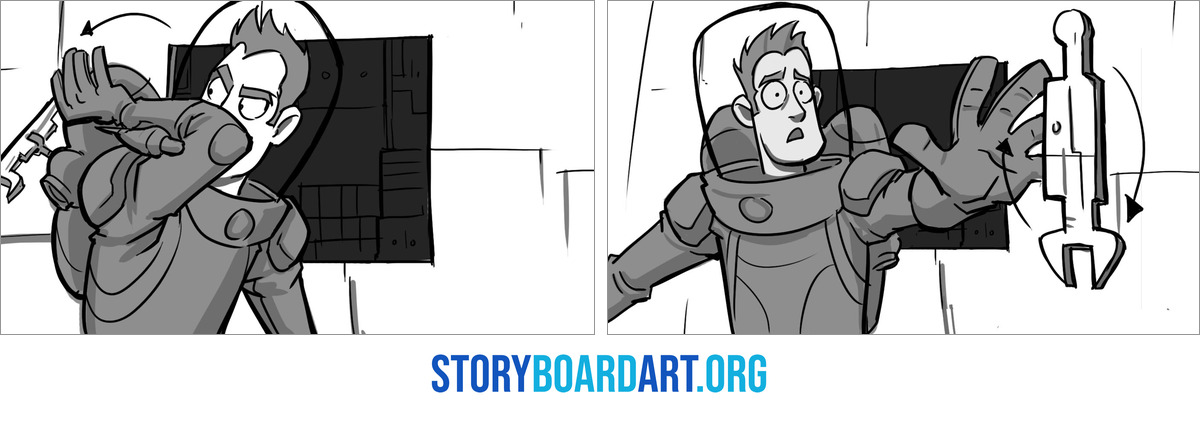
Draw the character fully in the starting pose. If the end position matters, sketch it lightly or as a dotted outline and connect the two with the arrow, so the reader sees the distance as well as the direction.
Moves toward or away from the camera are where flat arrows fail, because an arrow pointing up the panel could mean up or away. Draw these moves in perspective, as a ribbon-shaped arrow lying flat on the ground that gets wider as it comes toward the camera and narrower as it goes away.
When the camera follows a moving character, draw both moves: a CHAR arrow on the ground under the character and a labeled camera arrow outside the frame, pointing the same way. One arrow alone leaves the reader guessing whether the character crosses the frame or stays centered while the background slides past.
Speed lines on a thrown or falling object show how fast it travels, and an arrow shows where it lands, so use both when the landing spot matters.
Arrows also keep screen direction clear across a cut, so a character walking right keeps walking right in the next shot. A character who leaves the picture on the right gets the label OUT and an arrow pointing right, then IN on the next shot, with the arrow still pointing right as they come in from the left. To keep that direction consistent from shot to shot, read 180 Degree Rule in Film: Storyboard Guide to Screen Direction.
Arrow hierarchy: one move in charge of each panel
Every panel should have one primary move, drawn as the thickest arrow, with thinner arrows for anything secondary, so the reader sees the main action first. In a chase panel, a thick arrow for the runner and a thin one for the hat flying off her head show which move matters more without a word of text.
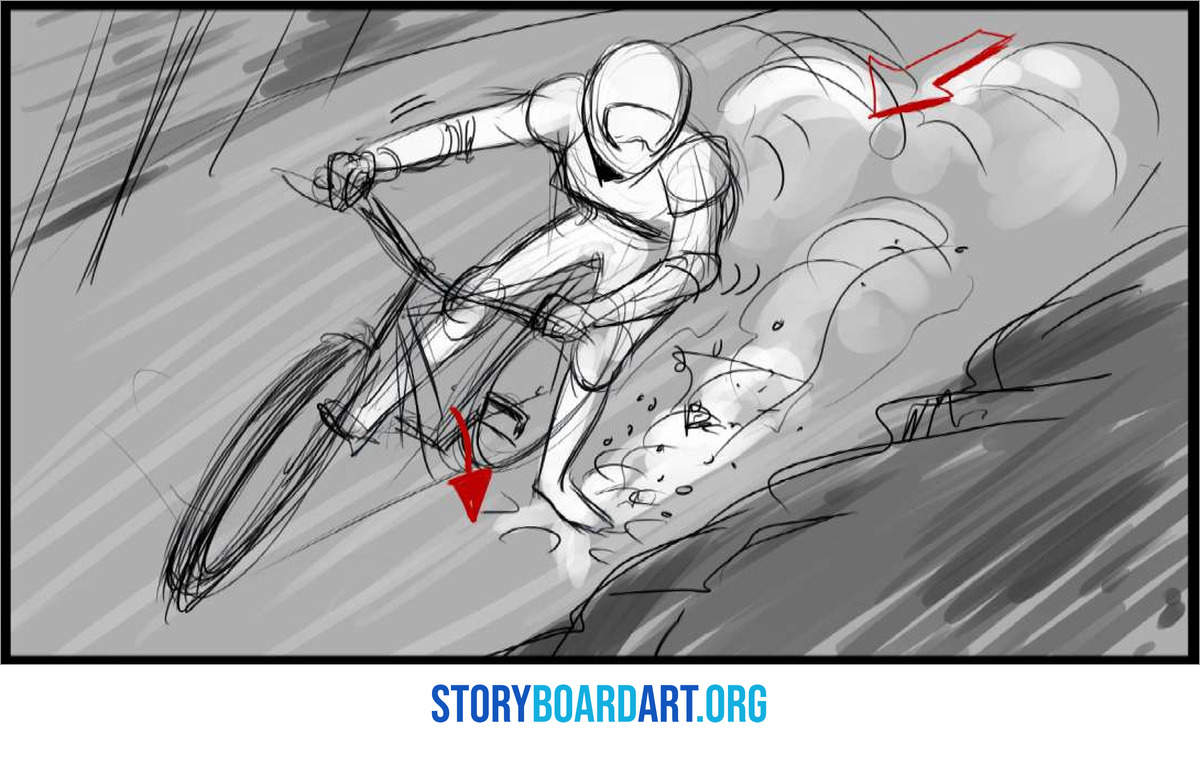
There's no industry standard for arrow thickness, dashes or colors, so follow the studio's style or set your own and keep it consistent. A dashed arrow that means an optional move in one panel can't mean a slow move in the next.
Put arrows on their own layer, in a color the drawing doesn't use, so you can hide them for a clean version. Check that they still read in black and white, because boards get printed and viewed small on screens.
Keep arrows off faces and hands, because that's where the acting happens. When there's no empty space left, put the arrow just outside the panel border, pointing in.
Then run a quick read test: show the panel to someone who doesn't know the shot and ask what moves and which way. A reviewer flipping through your portfolio can't ask you what an arrow means, so the board has to answer on its own.
Annotations that work with arrows: IN, OUT, HU and CUT
Annotations are short written marks on or beside a panel, often paired with an arrow. The four you'll see most often are these:
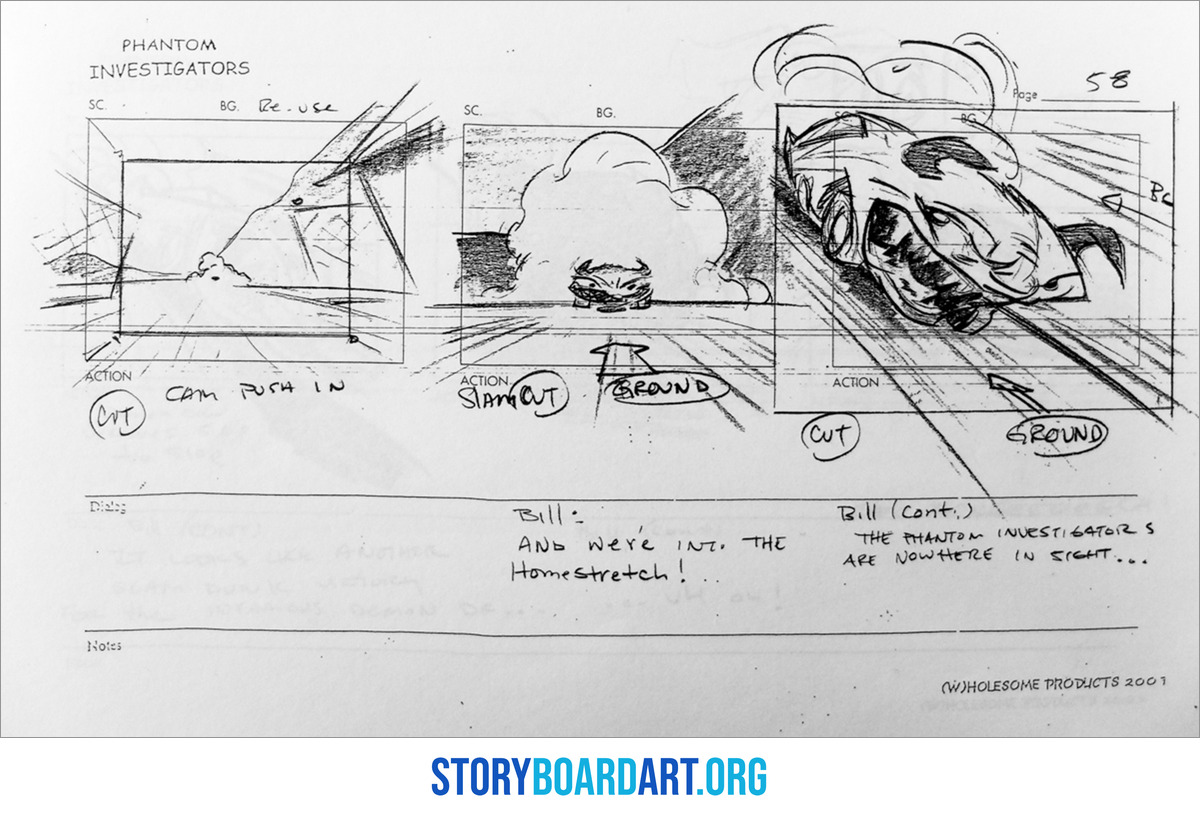
- IN: a character or object enters the frame
- OUT: a character or object leaves the frame
- HU: hook up, meaning the pose at the end of this shot has to match the start of the next
- CUT: a cut to a new shot
Write transitions between the panels they connect, using the same words every time: FADE IN or FADE OUT when the picture comes up from black or goes down to black, DISSOLVE when one shot blends into the next and WIPE when a line travels across the frame and replaces the old shot.
Some information is better written than drawn, like how fast a move runs or a sound off screen that turns a head. Those notes go under the panel, and Storyboard Format for Film: Boards a Crew Can Shoot From shows how to lay them out.
Notes from a director or the head of the story team often name a feeling, like more dread or more warmth, and leave the camera to you. Here is how I think about it when I'm the one giving the note.
Giving clear notes is a learned skill and a difficult one. As much as we can resolve things in our own heads in a way that makes sense to us, communicating that to somebody else, who then has to envision it at their desk and create what you described, is a whole other skill in itself. One of the things I had to learn, and still practise, is to think very hard before responding, even if it takes a while, so that what I give a team member is a clear, thought-out statement about the result we need. In production the note will often hinge on the emotional feeling we need for the scene, or the dramatic effect we are looking for, and less on actual stage direction or specific character or camera movements. A talented, trained story artist will understand the goal we need to hit, and that gives them the freedom to interpret it and come up with the best solution. On a number of occasions I was pleasantly surprised: I communicated an idea and the team member executed it better than I had imagined. That is a clear direction given to a qualified story artist who understood the needs of the scene and executed it their own way.
The freedom to interpret is where your arrows come in. When a note names the feeling, you pick the move that delivers it, like a slow push-in or a pan that lingers a moment too long, and your arrows and labels show everyone after you exactly what you picked.
Clear arrows are part of what makes a board look studio-ready, and the rest of your portfolio has to pass the same read test. For help building it, sign up for Free Training: Build a Killer Storyboard Portfolio, a workshop that comes with downloadable portfolio templates.
Frequently asked questions about storyboard arrows
How many arrows can one storyboard panel hold?
One primary move plus one or two thinner secondary arrows is plenty. If three arrows of the same thickness compete for attention, the panel is trying to show too much at once, so split it across two panels.
How do you show a dutch angle on a storyboard?
A dutch angle, where the whole frame is tilted, needs no arrow if the camera holds still: draw the horizon tilted and label it "Dutch tilt 20°". Save a curved arrow labeled ROLL for a camera that rotates during the shot. The other angles you'll board are in Camera Angles for Storyboard Artists: A Complete Shot Guide.
Do studios still use IN, OUT and HU?
Yes, wherever boards get read as still pages, from a PDF pitch to a printed shooting board. Storyboard Pro and similar programs let teams show entrances and cuts directly in the animatic, the timed video version of the boards, so some digital productions write fewer of them.
