Contents
- What is a tracking shot?
- How a tracking or dolly shot works on set
- What changes with a dolly on track
- What to put in your boards and shot notes
- Tracking vs dolly vs trucking: the labels storyboard artists should use
- How to write it so a crew understands you
- Panning vs tracking shot: why they feel different on screen
- Why directors use tracking shots: emotional distance and audience attention
- Six tracking patterns you will see in almost every movie
- How to storyboard a reverse tracking shot so it stays readable
- Planning a tracking shot that a crew can actually shoot
- Tracking shot example: a 12 foot reverse move with clear beats
- When tracking shots hurt your scene
- Frequently asked questions about tracking shots
You scribble "tracking shot" in your panel notes. What you really needed was a dolly in. That's when the camera rolls toward the subject on a wheeled cart called a dolly.
Sometimes you draw a pan, where the camera spins in place like a head turning left to right. But the scene actually required the camera to travel alongside the character. That's a dolly/tracking shot, not a pan.
This might seem like a tiny mix-up on paper, but it's not. When a story supervisor, the person in charge of a show's visual storytelling, spots a mislabeled move or an impossible shot in your notes, they stop trusting your other choices too.
By the end of this guide, you'll know the difference between a tracking shot and a dolly shot. You'll spot panning versus tracking in seconds. And you'll be able to plan a reverse tracking shot that a real crew could actually shoot.
Let's start with what a tracking shot actually is.
What is a tracking shot?
A tracking shot is when the camera moves through space to follow a subject or explore a location. It usually travels alongside, toward, or away from the action. A dolly is one tool that can create this shot.
Tracking describes what the audience sees: the camera moving. A dolly is a wheeled platform that rolls on a track, and it's one way to achieve that movement.
That distinction matters more on a storyboard than you'd think. Your job is to describe what the audience sees, not to pick the gear. Write "camera tracks with the runner" and let the 180 degree rule in film guide which side of the action stays on screen. Production can figure out later if they'll shoot it on a dolly, a gimbal, or something else entirely.
- Tracking is the result. It's what happens on screen: the camera traveling through space.
- Dolly is one tool. It's a wheeled rig that often produces that result, but it's not the only option.
How a tracking or dolly shot works on set
Block the actor first, which means deciding exactly where they stand, walk, and stop during the scene. Only after that's set does the camera path get planned: beside the actor, behind them, or out in front leading the way.
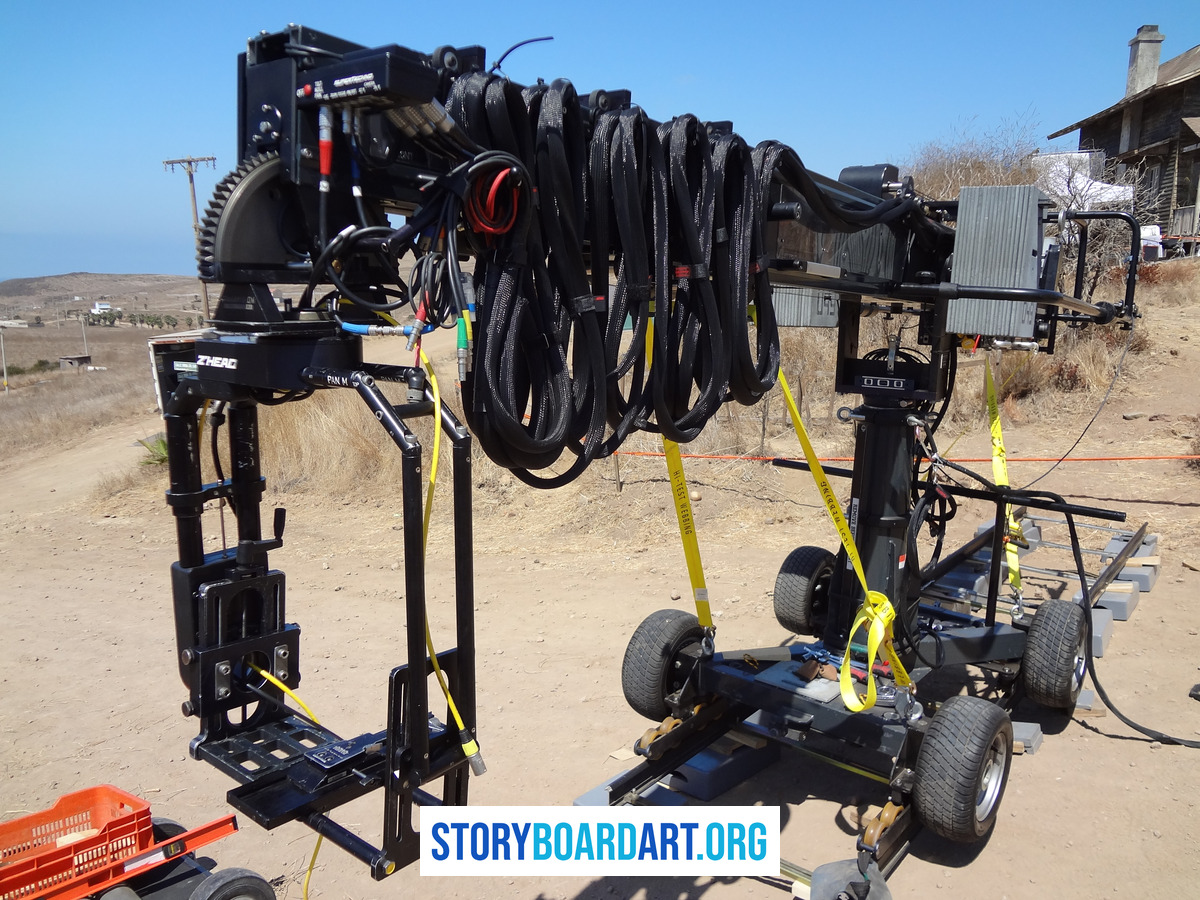
Next, pick the tool: a dolly can roll on a track, which is smooth but takes time to lay down. It can also roll on rubber wheels directly on the floor, which is faster but bumpier on rough ground. A gimbal is a stabilized rig a camera operator holds by hand. It's great in tight or uneven spaces where track won't fit. Steadicam is an older body-worn stabilizer that does the same job. The choice comes down to terrain and how much room the crew has.
Then the crew marks the shot. They put tape on the floor for the start point, the end point, and every key beat in between. A key beat might be a reveal, a line of dialogue, a turn, or an impact. Finally, they rehearse the speed, because the move has to hit these story beats, not just cover a set distance in a fixed time.
What changes with a dolly on track
Laying the track and leveling it eats into shot time, so it costs more. In exchange, the move is smoother and repeats exactly the same way take after take. That's why long takes and precise framing usually call for track. A dolly on wheels skips the setup time but can't promise that same repeatability.
What to put in your boards and shot notes
- Direction of travel, rough distance, and what the move should make the audience feel.
- Any space constraint that affects staging, like a tight hallway, stairs, or furniture in the way.
- A timing note tied to the animatic when possible.
An animatic is a timed version of the storyboard, cut to rough length. It's the fastest way to check if a move fits the scene before anyone shows up on set. See What Is an Animatic? How Storyboards Become a Timed Scene for how that process works.
If you want to see how working cinematographers talk about these choices, the American Society of Cinematographers publishes real production breakdowns. They're worth reading for the reasoning behind each choice, not for the gear itself.
Tracking vs dolly vs trucking: the labels storyboard artists should use
These three words get used like they mean the same thing, but they don't. Mixing them up in your panel notes is a quiet way to lose a crew's trust.
A tracking shot means the camera moves through space as the scene happens. That's the broad category, the umbrella term.
A dolly shot is a tracking shot done with a dolly. A dolly is a wheeled cart the camera sits on, often rolling along a track, and it's built for smooth, controlled motion.
Trucking is one direction inside that category: the camera moving straight left or right. Most crews don't even say "trucking" out loud. They just say "track left" or "track right."
So the hierarchy is simple: tracking is the family, dolly is one tool used to get it, and trucking is one direction it can go.
How to write it so a crew understands you
A good shot note names the action, the direction, and who it's attached to, like "Track left with her," "Dolly in on his face," or "Arc right around them." Each note tells the crew what the audience should feel. None of them tell the crew which piece of equipment to grab, and that's on purpose.
If you don't know the gear, don't fake it. Name the movement, not the hardware. A supervisor would rather read "camera pushes in slowly" than a wrong, specific rig name. Guessing at equipment you don't understand costs you more credibility than admitting you're describing intent, not machinery.
If any of this still feels shaky, Cinematography for Storyboard Artists: Film Language Guide covers the fundamentals these labels build on.
Panning vs tracking shot: why they feel different on screen
A pan is the camera staying in one spot. It just turns left or right, like a head swiveling on a neck. A tracking shot is different: the whole camera moves through space. One is rotation in place, and the other is travel.
It feels different to the audience too. A pan feels like the viewer turning their head to look around a room they're already standing in. A tracking shot feels like the viewer walking through that room. The background changes in both, but only a tracking shot changes how close you are to anything in the scene.
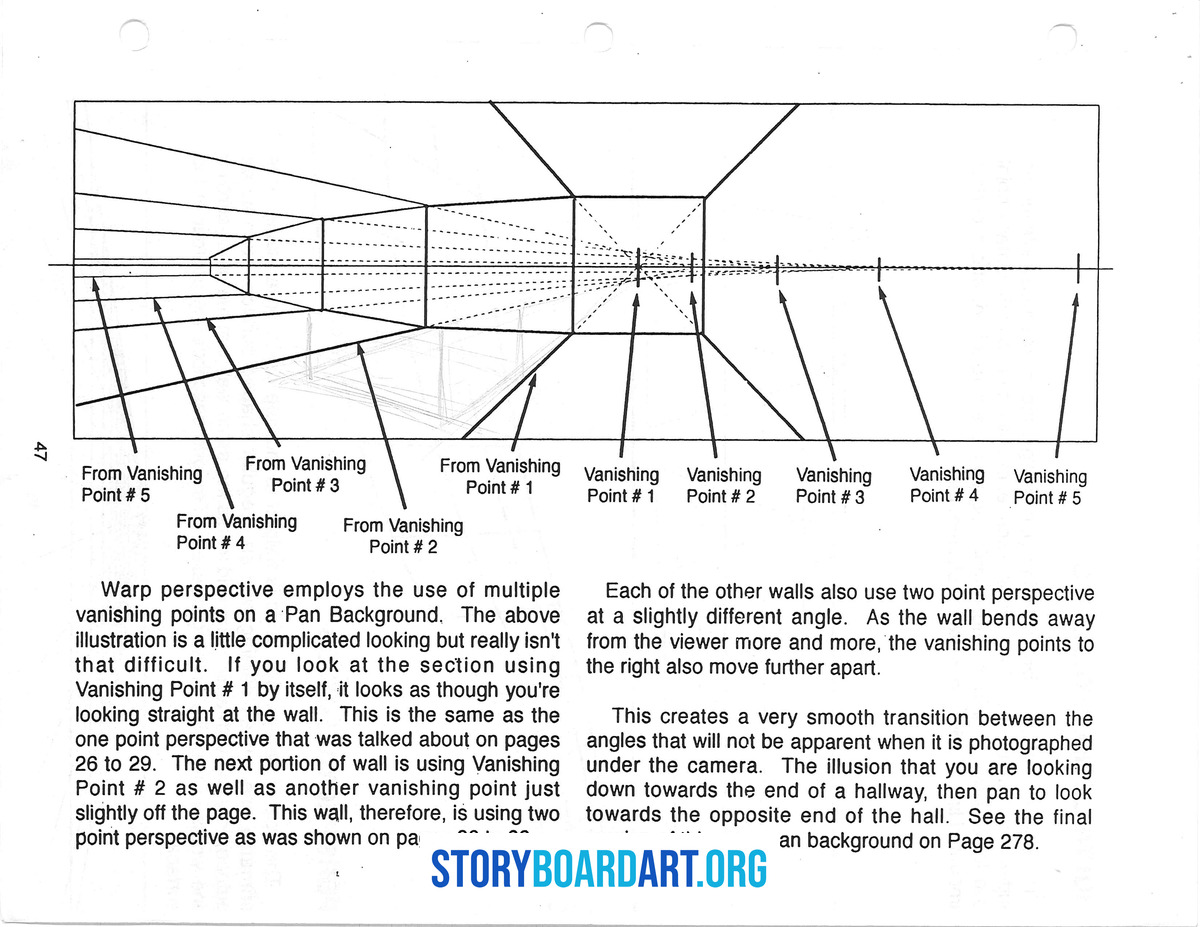
That's why tracking shots show parallax. Parallax is when things close to the camera move across the frame faster than things far away. It's the same reason telephone poles whip past your car window while distant mountains barely shift. A pan never produces this, because the camera never changes position. Everything just slides across the lens at the same speed.
On your top-down map, the test is simple. For a pan, the camera dot stays fixed and only the viewing cone rotates. For a tracking shot, the dot itself moves along a path. You should be able to show the foreground and background sliding past each other at different speeds as it travels. If the dot doesn't move, you haven't drawn a tracking shot, no matter what you called it in your notes.
For more on reading these moves correctly on the page, see Camera Angles for Storyboard Artists: Complete Visual Guide.
Why directors use tracking shots: emotional distance and audience attention
A tracking shot is when the camera physically moves toward, away from, or alongside the subject, instead of staying still. That movement is not decoration: it changes how close the audience feels to a scene, and it decides what they are forced to look at.
Here's a tip I learned from Robert Dalva, the Oscar-nominated editor, while I was working as a storyboard artist on the Star Wars: The Clone Wars animated series: the camera is the audience. The closer the camera is to the subject, the more the audience will relate to that subject. The further away the camera is, the less the viewer feels emotionally connected. Use that to your advantage. As story artists we make these decisions first, in pre-production, sometimes before the cinematographer even comes onto the project, so we have to understand how the camera will affect the viewer emotionally and design the composition for it in every scene.
That tip turns into three storyboard choices.
- Track in when you want the audience to grow closer to someone across a beat. Closeness builds as the distance shrinks.
- Track out when you want distance, or consequence, to land. Pulling back lets a moment's weight sink in.
- Track laterally, meaning the camera moves sideways, when the space itself carries the information. Moving sideways reveals what the character is walking into.
Each of these is a decision about feeling, made before anyone picks up a camera. Pair it with shot size, covered in Different Camera Shots in Film: Fix Flat Storyboards, and you have the two biggest emotional tools in your hands before the crew ever shows up.
Six tracking patterns you will see in almost every movie
Once you know what tracking is, you start seeing the same handful of patterns in almost every film. A tracking shot is just a camera that moves alongside, behind, or around a subject instead of staying still. Learn these six and you can name what you are watching. Better yet, you can storyboard it yourself.
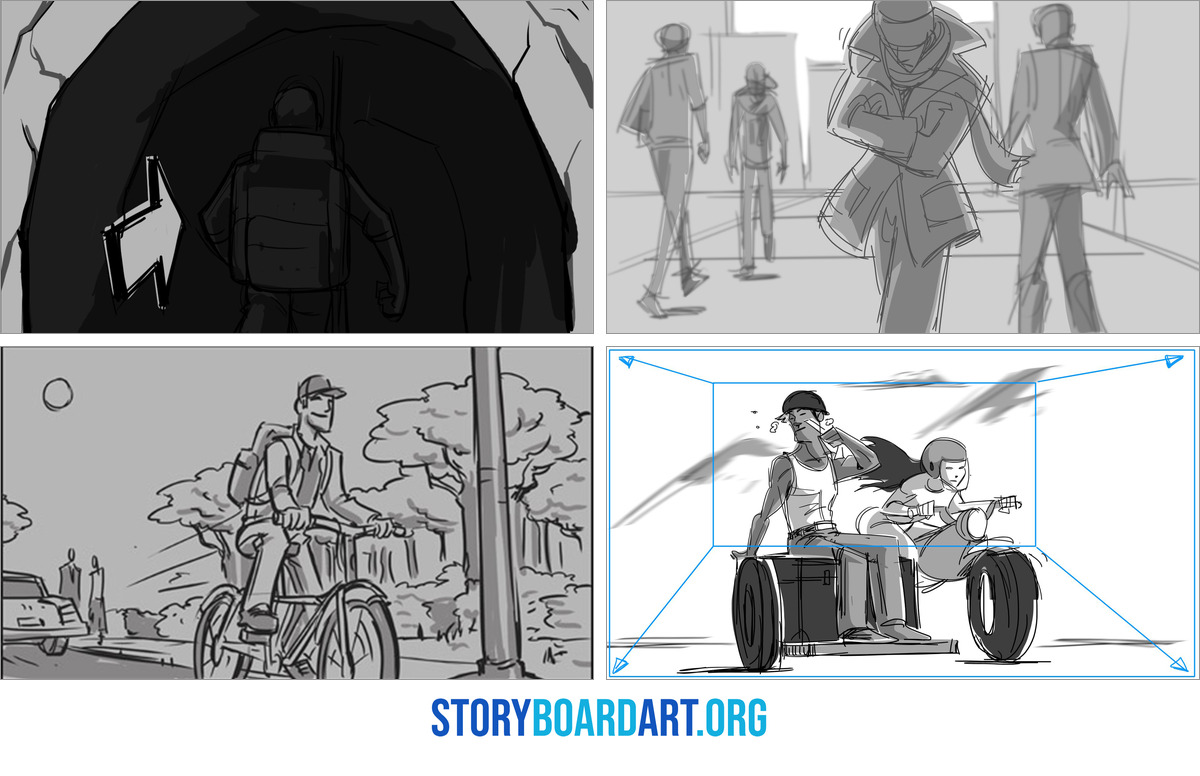
- Follow shot. The camera trails behind the subject. It keeps the walk moving and pulls the audience forward with it.
- Lead shot. The camera moves backward in front of the subject, facing them as they walk toward it. This pulls the audience along from the front instead of pushing from behind.
- Side-by-side track. The camera moves sideways next to the subject. This reveals the space around them while keeping the audience clear on where everyone stands.
- Push in or pull out. The camera moves closer or further away, but nobody's staging changes, only the emotional distance does.
- Arc. The camera curves around the subject. This can shift who holds the power in a scene, just by changing the angle we see them from.
- Reveal track. The camera moves and something new enters the frame mid-shot. The audience learns something they did not know a second earlier.
You'll recognize these from films you already know. Picture a "walk-and-talk" scene, where two characters argue while cutting through a hallway. It works because the location becomes part of the conversation, not just a backdrop. Or picture a lateral track through a busy office, passing one desk after another. That single move introduces five small actions without a single cut.
There's also POV tracking, where the camera becomes a character's own eyes as it moves. POV stands for point of view. That is its own skill with its own rules, covered in What Is a Point of View Shot? (And How to Storyboard One).
How to storyboard a reverse tracking shot so it stays readable
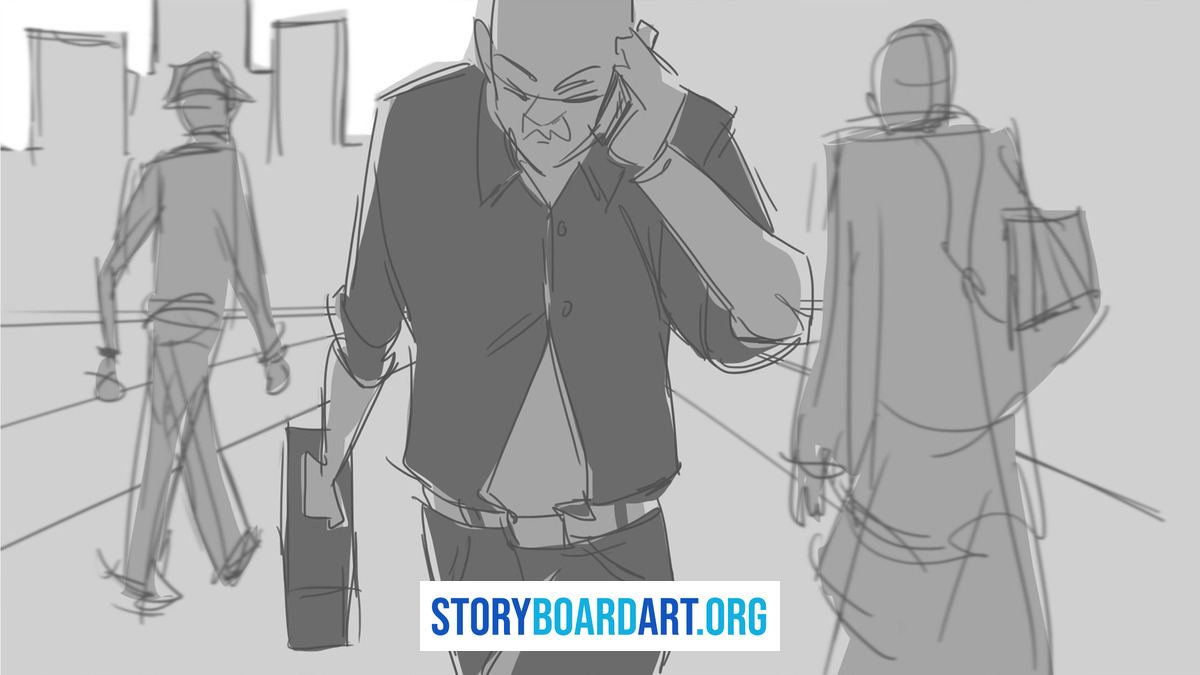
A reverse tracking shot is when the camera moves backward while the subject walks straight toward it. The subject often stays in the same spot in the frame the whole time. The world behind them keeps changing. You've seen this in every walk-and-talk scene where the hallway slides past behind the actor.
It's tricky to shoot for three reasons: safety, focus, and geography.
- Safety. Someone has to move backward while filming, whether that's a camera operator walking or a rig rolling on a track. If that path isn't clear, someone gets hurt.
- Focus. The distance between camera and subject keeps shrinking, so focus has to shift continuously to keep the subject sharp.
- Geography. The background keeps changing behind the subject. If you're not careful, the audience loses track of where they are.
Your storyboard needs to solve all three before anyone picks up a camera. Draw a top-down map of the space. Clear the path and mark the start and end points, so everyone on set knows exactly where the camera travels.
On the boards themselves, note whether the subject stays centered on purpose or drifts, and say why. Flag the exact frame where a new background element gets revealed, so the crew can time it. Also mark your screen direction, the consistent left-to-right or right-to-left path a subject travels across cuts. Breaking it by accident confuses the audience about where things are. Keep that line clean unless you're breaking it on purpose. For the full rules on that line, see 180 Degree Rule in Film: Storyboard Guide to Screen Direction.
Planning a tracking shot that a crew can actually shoot
A storyboard only helps a crew if it tells them where the camera goes, where it stops, and what it must catch along the way. Anyone can draw an arrow across a floor plan. Fewer artists think through what that arrow costs a crew to shoot.
Start with the footprint, the real floor space the camera and its rig need to move through. A wide hallway gives a dolly room to roll. A cluttered room full of furniture might force a gimbal instead, a stabilized rig a camera operator carries by hand through tight spaces. Say which one your shot needs. Then mark timing: where the move starts, where it ends, and the exact line or action it has to land on. "Camera tracks left" tells nobody anything useful.
Lens choice matters more than most boards admit. A longer lens compresses space, flattening the distance between foreground and background and making focus far more sensitive to small changes in distance. If your shot depends on razor-thin focus, meaning only a sliver of the frame stays sharp, you need floor marks and a real focus plan, not hope. A small crew without a dedicated focus puller, the person whose only job is adjusting focus during the shot, often cannot pull that off cleanly. Give them an out: deepen the depth of field, widening the zone that stays sharp, or simplify the move so the take does not depend on a perfect last-second pull.
Lighting gets forgotten constantly, even though a moving camera changes its angle to every light and every reflective surface in the room. If your camera travels 180 degrees around a subject, you need to justify where the key light, the main light source on the subject, actually lives for the whole move. Either hide it outside frame the entire time or design a motivated practical, a visible source like a lamp or window that explains the light honestly.
A dolly grip, the crew member who pushes or operates the dolly, works off calls: start, settle, hit, stop. Your notes should support that rhythm, not fight it.
Tracking shot example: a 12 foot reverse move with clear beats
Here's the reverse tracking shot from earlier, with real numbers attached.

A character walks down a hallway toward the camera. A closed door waits at the far end. The tension is simple: they are getting closer to something, and the audience feels it build the whole way.
The move. The camera travels backward 12 feet over 6 seconds. At the same time, the subject walks forward 14 feet over those same 6 seconds. The subject advances a little faster than the camera retreats. That gap is what makes the subject grow steadily in frame while the hallway behind them keeps sliding past. Both numbers matter, because without them, "camera moves back, subject moves forward" is just a direction, not a shot you can plan or draw.
Break the shot into six frames, one per second of screen time.
- 0s: Wide spacing, with the door sitting small in the deep background.
- 1s to 2s: The subject crosses a practical light, and their expression starts to shift. A practical is a light source that's visible in the shot, like a wall sconce, not just lighting added from outside the frame.
- 3s: At the midpoint beat, add one background detail that quietly points at the door: a shadow, a sign, anything that hints at what's coming.
- 4s to 5s: The subject now fills most of the frame. The space behind them keeps compressing.
- 6s: Land the beat as the subject stops, with the door now a small shape far behind them.
On the page, draw two arrows. One shows the camera's path, the other shows the subject's path. Label the move "reverse tracking" and write the story reason next to it: the audience gets pulled away while the character pushes forward, and that pull is what creates the pressure.
If you're building this into an animatic, a rough cut of the storyboard with timing added so it plays like a scene, mark the total duration as 6 seconds. Then cut right as the subject stops. That hard cut is part of the beat, not just a technical note.
When tracking shots hurt your scene
A tracking shot is a shot where the camera physically moves alongside or behind the subject, instead of staying put. It costs more than beginners think.
Laying the track, rehearsing the move, and resetting it again and again all eat into a shoot day. A crew with a tight schedule may not have the hours for a move you drew on a whim.
Tracking shots also expose weak staging fast. A still shot can hide a lot of problems. Move the camera, and any cheat in your layout shows up right away. A cheat is a prop or background piece placed to look right only from one angle. The camera move walks straight past that trick and the audience sees it.
Moving the camera raises the bar on continuity too, meaning the story details have to stay consistent from shot to shot. Screen direction is the left-to-right or right-to-left path a subject holds as you cut from shot to shot. Eyelines are where each character is looking relative to everyone else in the scene. Both have to hold for the entire length of the move, not just one frame. The longer the camera travels, the longer you have to keep everything lined up.
Focus and lighting get harder too. Every extra foot of camera travel is one more thing the crew has to solve at the same time, under the same clock.
The most common portfolio mistake is reaching for a tracking shot to inject energy into a beat that actually needed clearer shot progression instead. That's a louder choice, not a stronger one. Pick the move because the story asks for it, not because the page feels slow.
Clear shot progression often solves the same problem for free. See Different Camera Shots in Film: Fix Flat Storyboards for how.
Frequently asked questions about tracking shots
Is every dolly shot a tracking shot? Most dolly shots are tracking shots, because the camera travels through space in both. But the two words answer different questions. "Dolly" names the rig: a wheeled cart the camera sits on. "Tracking" names the result: the camera moving. You can dolly the camera for reasons that have nothing to do with following a subject, like a slow push into an empty room. When you write panel notes, describe what the audience sees, not which rig gets used.
What is the difference between a tracking shot and a zoom? A tracking shot moves the camera itself through space, so the background shifts and parallax shows up. Parallax is when close objects pass faster than distant ones. A zoom does the opposite: the camera stays put and the lens changes focal length, so the image gets larger or smaller with no parallax at all. In your boards, label zooms as lens changes, never as camera moves. Mixing the two up tells a crew you don't know what you're asking for.
Can a tracking shot include a pan? Yes, and it often does, with the camera traveling sideways while also turning to keep the subject framed. Write it as two separate instructions: the travel direction and the pan direction. "Track left while panning right to hold on her" tells a crew exactly what's happening. One instruction alone leaves out half the move.
How do I show a tracking shot clearly in storyboards? Use arrows for direction, a top-down map for anything with more than one turn, and 3 to 6 key frames tied to real story beats, not even spacing. If the move runs long, prove the timing in an animatic before anyone assumes it works. See the sections above for a full walkthrough with real numbers attached.
How do I make tracking shots look good in a storyboard portfolio? Prioritize clarity and intention over movement that just looks cinematic. Use tracking shots only where a story beat genuinely needs continuous space, not to make a page feel more active. A reviewer can tell the difference between a move you earned and one you reached for. For the full breakdown of what reviewers actually look for, see the free Killer Storyboard Portfolio training.
